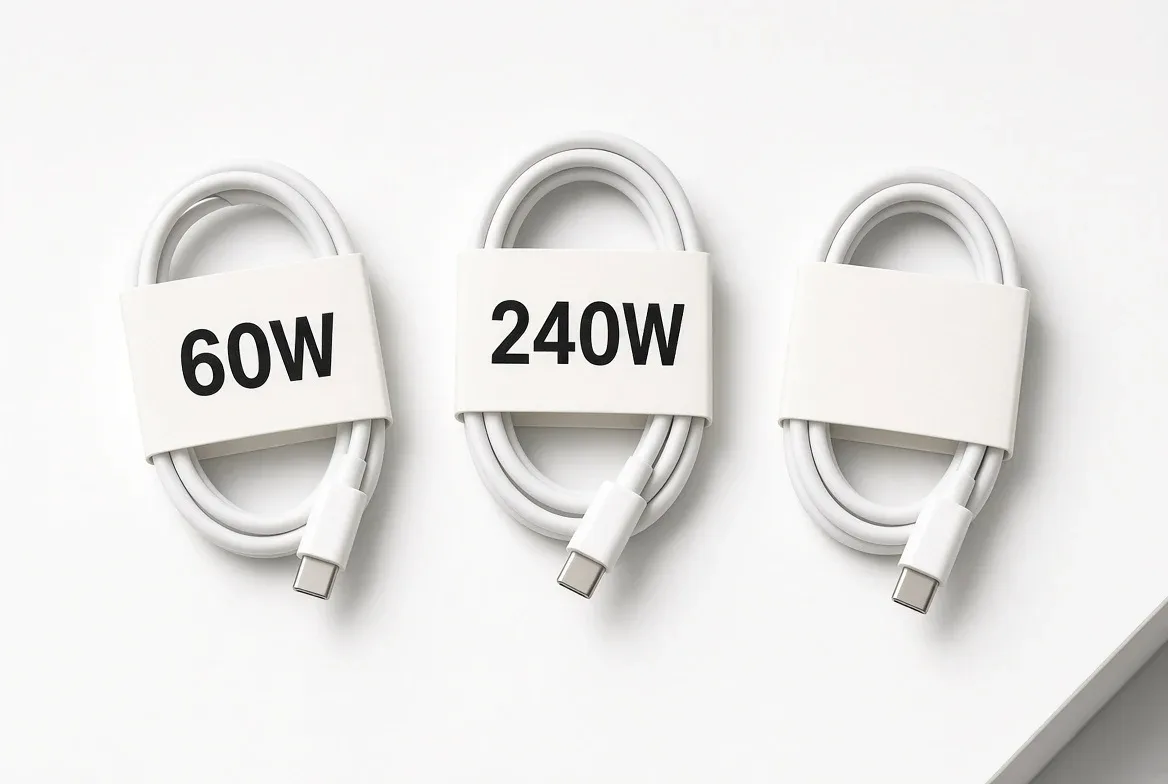
Buy the cable by its printed power rating, not by its price: USB-IF's Certified USB Type-C cable logos mark a cable as supporting either 60W or 240W, and that number is the one claim on the package that has been through compliance testing. The catch: the power logo says nothing about data speed, and uncertified cables carry no logo at all.
That two-tier system comes from a USB-IF announcement dated September 30, 2021, which introduced "new Certified USB Type-C® Cable power rating logos to clearly indicate the power capabilities of USB-C® cables to consumers," covering "support for 60W or 240W of power as defined by the recently published USB Power Delivery (USB PD) 3.1 Specification." USB-IF says the marks belong on packaging, product briefs, or the device itself.
What Does the Wattage on a USB-C Cable Actually Mean?
It means how much power the cable is built and certified to carry — not how fast your phone charges. Your charger and your device negotiate the actual wattage. The cable is the ceiling. A 60W-rated cable in a 240W setup is the part that limits you.
Per USB-IF's own USB Power Delivery documentation, PD Revision 3.1 "is a major update to enable delivering up to 240W of power over full featured USB Type-C cable and connector." It gets there with new fixed voltages: USB-IF states that "28V, 36V, and 48V fixed voltages enable up to 140W, 180W and 240W power levels, respectively." Before that update, USB-IF says PD "was limited to 100W using a solution based on 20V using USB Type-C cables rated at 5A."
The practical read: phones and tablets sit inside the old 100W envelope; the 240W tier is for large laptops and single-cable monitor setups.
Do I Need a 240W Cable?
Only if a device in your house asks for more than the cable you own can carry. Buying up is cheap insurance, though. Apple's own 240W USB-C Charge Cable in the 2-meter length is listed at $29.00 on Apple's store page as of August 20, 2026 — a small premium for a cable that will not be the bottleneck later.
Decision points, in order:
- Check what your highest-draw device's charger is rated for. That is your floor.
- If everything you own is a phone, tablet, or thin laptop, a 60W-marked certified cable covers it.
- If a big laptop or a power-delivering monitor is in the mix, buy the 240W mark and stop thinking about it.
- If the package shows no certification logo at all, you are trusting an unverified claim.
Is a Fast-Charging Cable Also a Fast-Data Cable?
No, and this is where most cable regret starts. Power certification and data certification are separate programs with separate marks. A cable can be certified to move 240W and still be a slow pipe for files, or carry no data certification whatsoever.
For data, USB-IF's USB4 documentation states that USB4 supports "up to 80 Gbps operation over 80 Gbps certified cables" — the certified cable is a condition of the speed, not a bonus. USB-IF also notes USB4 operates over "existing USB Type-C cables" and remains backward compatible with previous USB versions and with Thunderbolt 3 devices. Translation: an old cable will probably work; it just will not go fast.
How Do I Tell a Certified Cable From a Cable That Just Says So?
Look for the logo, then verify the maker. USB-IF states that companies "wishing to use the certified USB logos must have a current on file USB-IF Trademark License Agreement," and that products must pass "USB-IF compliance testing" and be included on the Integrators List. A logo is a licensed claim; marketing copy is not.
| What you see | What it documents | What it does not |
|---|---|---|
| Certified USB Type-C 60W logo | Power capability to 60W, per USB-IF's 2021 logo announcement | Any data rate |
| Certified USB Type-C 240W logo | Power capability to 240W under USB PD 3.1 | Any data rate |
| Certified USB4 logo | USB4 performance branding, updated in the same 2021 announcement | Power tier — that is the separate power mark |
| No logo | Nothing that has been through USB-IF compliance testing | Everything above |
Jeff Ravencraft, USB-IF President and COO, framed the point in the 2021 announcement: "With our updated logos, consumers can easily identify the USB4 performance and USB Power Delivery capabilities of Certified USB-C Cables."
The Cable Looks Right but the Device Won't Charge or Mount
Before blaming the cable, rule out the port and the hub. Apple's support documentation for Macs, last updated May 22, 2024, says external devices "request a limited amount of power" from a Mac's ports and that insufficient power can stop a device from being recognized.
Apple's documented steps, in order:
- Disconnect and reconnect the device.
- Move it to a different port on the Mac.
- Connect it directly instead of through a hub.
- If you must use a hub, make sure it is a self-powered hub "connected to an AC adapter."
Steps are as documented for macOS at that date; wording and menu paths can differ on later releases and on Windows or Android hardware.
What These Sources Don't Settle
USB-IF's power logo program, as described in its own materials, marks two tiers — 60W and 240W — so a logo will not tell you a cable's exact intermediate ceiling. Apple's product page for its 240W cable lists wattage and length but no data transfer rate. And none of these documents establish how any specific third-party cable performs in independent testing.
The short version by household: one-laptop, one-phone homes are fine with a certified 60W cable and should spend the difference elsewhere. Mixed households with a large laptop or a single-cable monitor setup should standardize on 240W-marked cables so no cord in the drawer is the weak link. Anyone moving large files — video, backups, external SSDs — needs to shop the data certification separately, because the power logo will not carry you there.
For a related setup perspective, read Does Matter Need a Hub? Here's What the Smart Home Standard Actually Requires.
For more context, read How to Borrow Library eBooks on a Kobo eReader.
For more context, read How the VAT refund actually works when you shop in Europe.
For more context, read Prime Is 6.75%: How That Number Reaches Your Loan.